


These enhancements streamline system administration and deliver greater control over access management. With a focus on efficiency and visibility, managing users, profiles, and schedules is now faster, more intuitive, and more transparent—especially when working with complex or large-scale environments.
Managing Large User Groups Just Got Easier
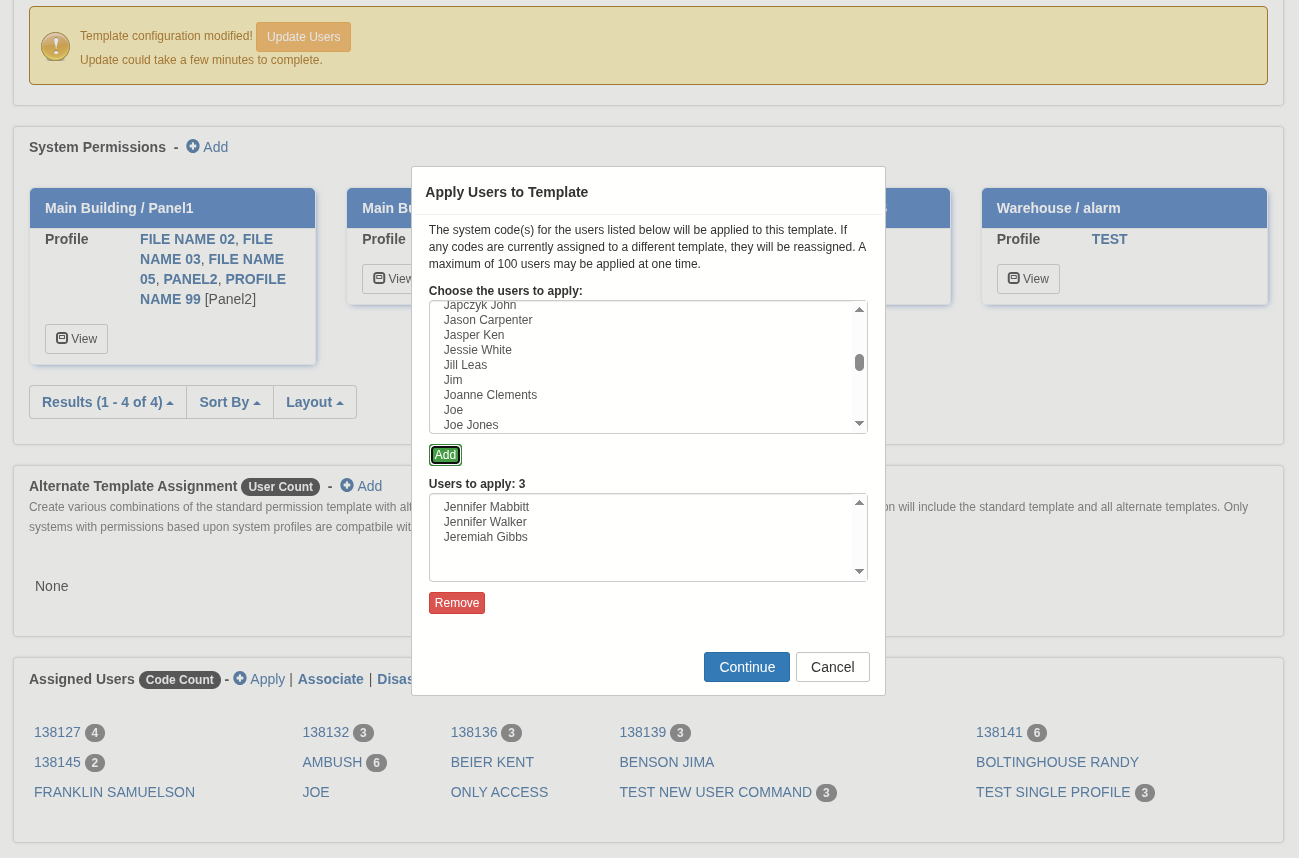
Apply templates to existing user system codes and bulk assign users to templates in just a few clicks. This simplifies the process of standardizing permissions and enables administrators to quickly implement changes across large user groups without manual updates.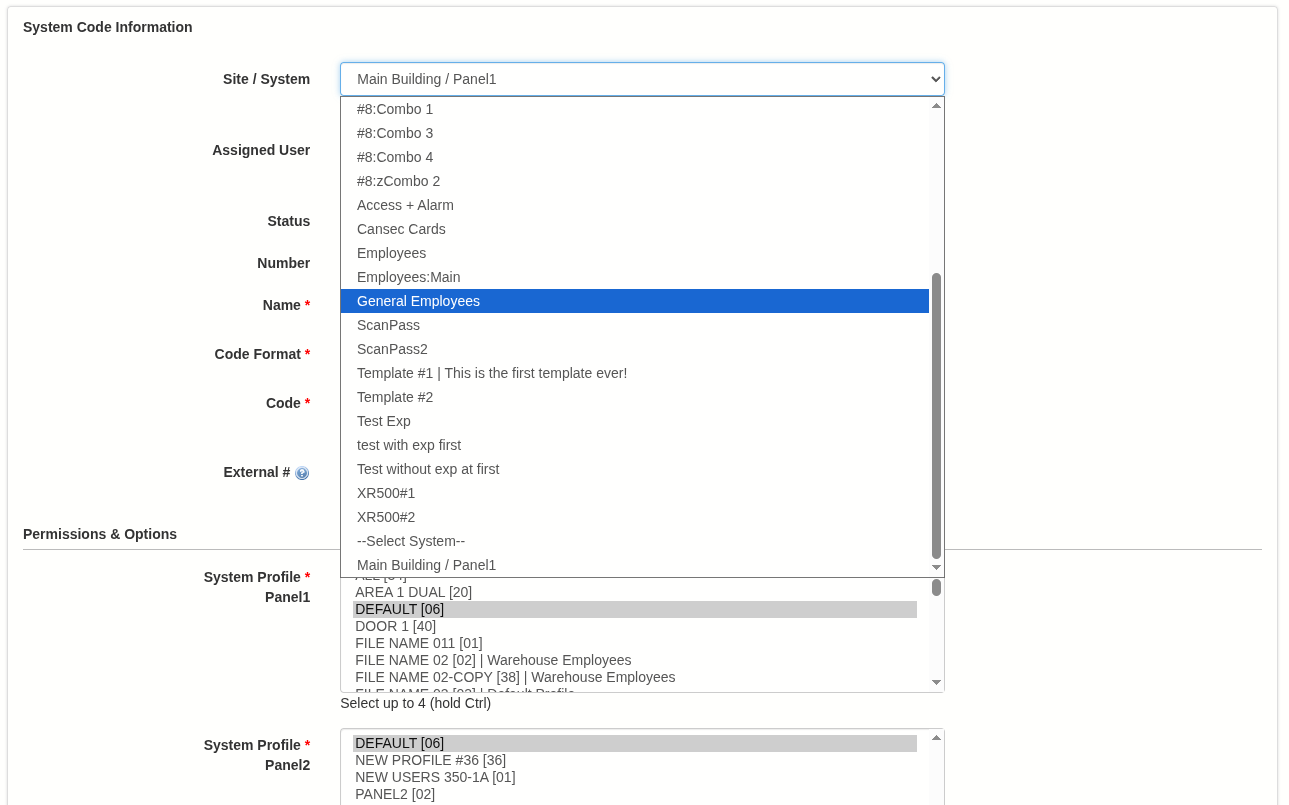
Faster, More Intuitive Profile Management
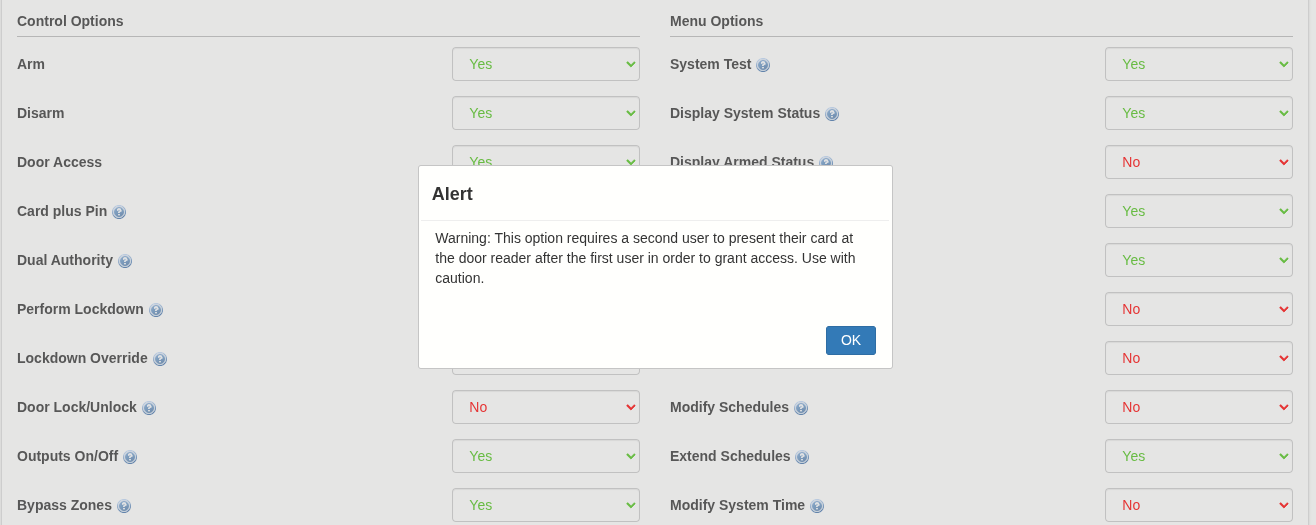
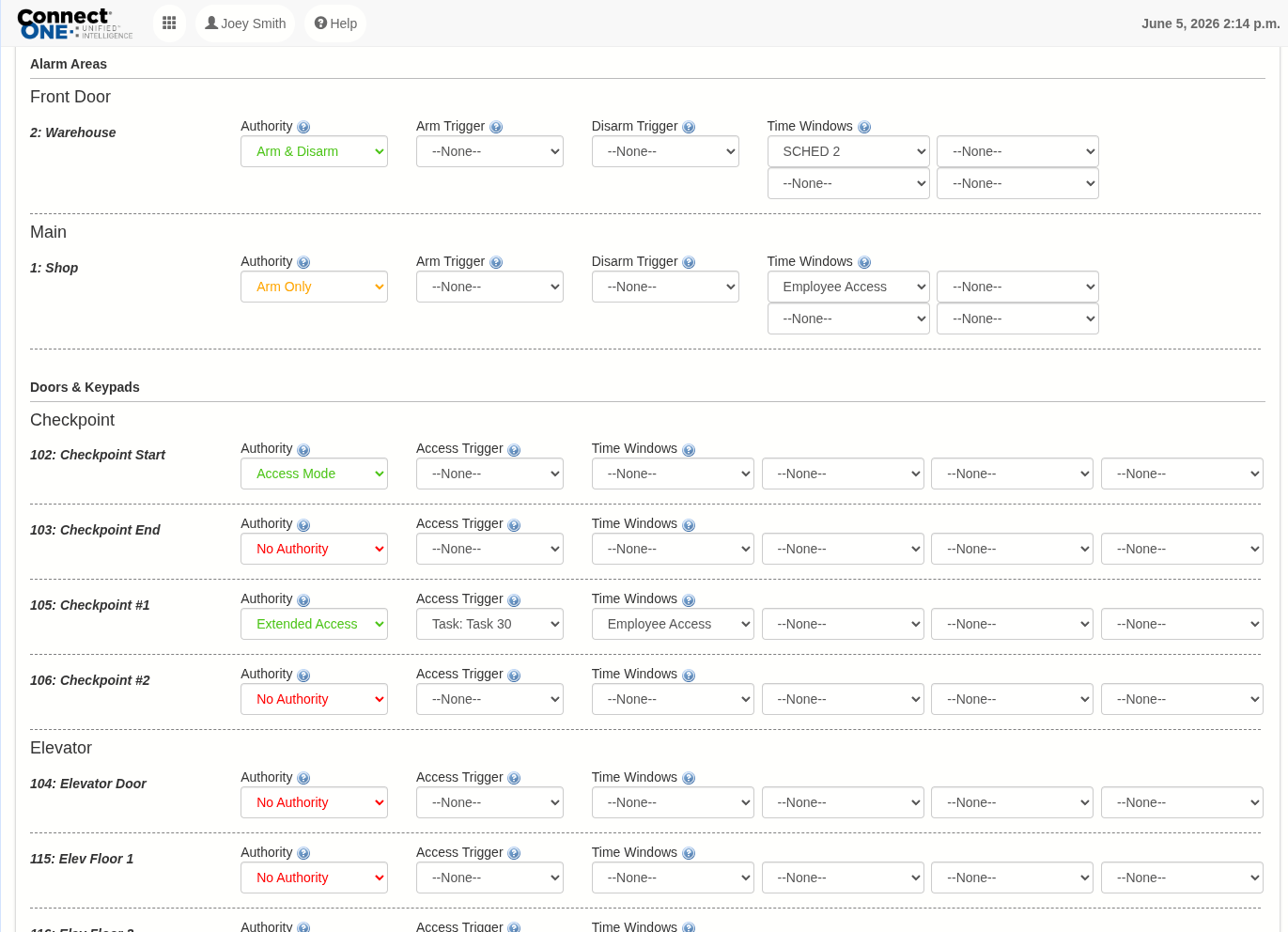
System Profiles have been redesigned to improve usability and speed. Administrators can now view actual schedule times directly within the profile—eliminating the need to navigate between screens. Built-in warnings highlight high-security functions such as card + PIN, dual authority, and easy arm/disarm, helping ensure these features are only enabled when appropriate.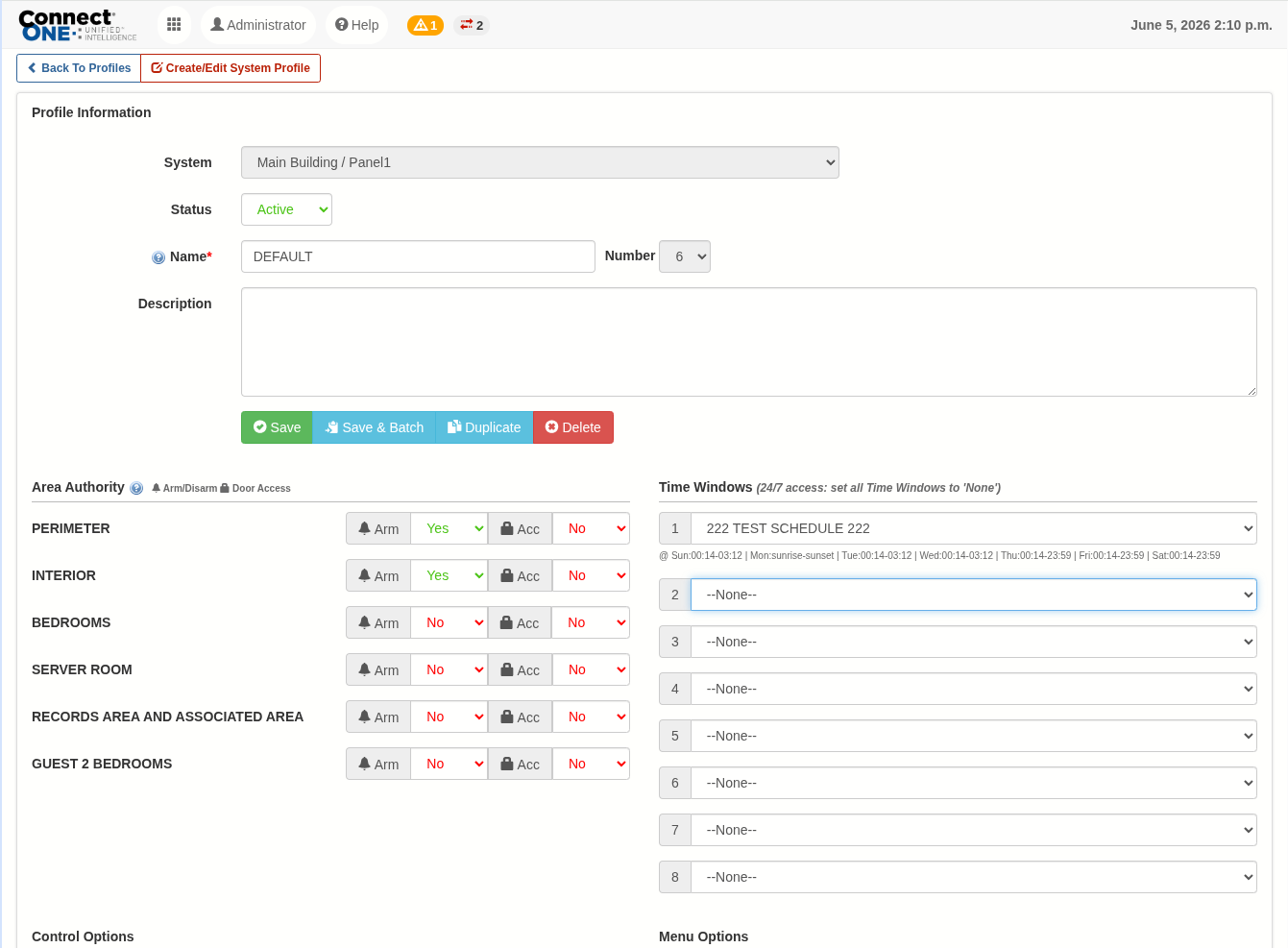
Simplified Time Window Modifications
Time window management has been enhanced for a more intuitive scheduling experience. Administrators can quickly adjust access periods with clear visibility into daily time ranges, reducing the time and complexity involved in managing schedules.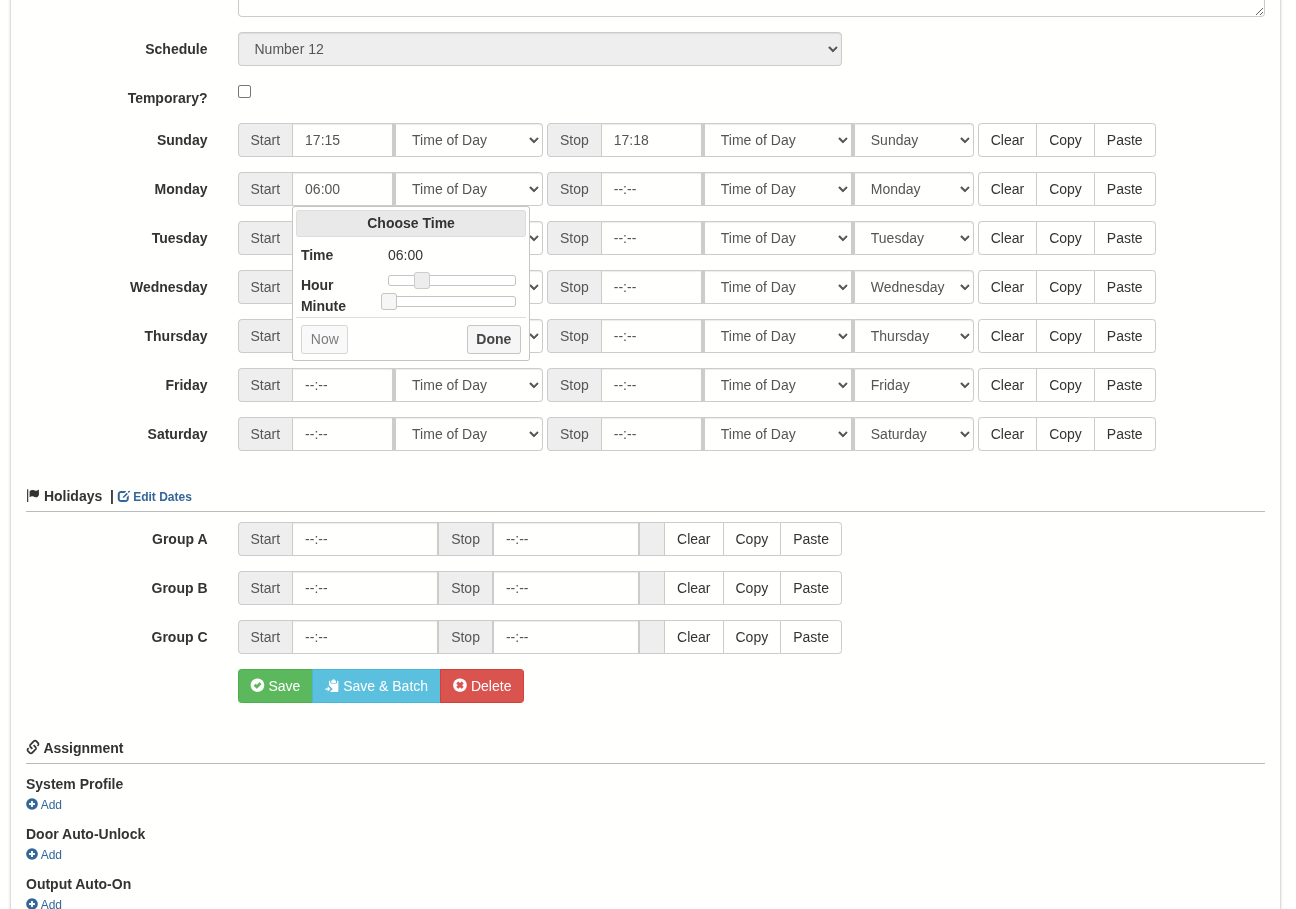
Enhanced Safeguards for Area Schedule Changes
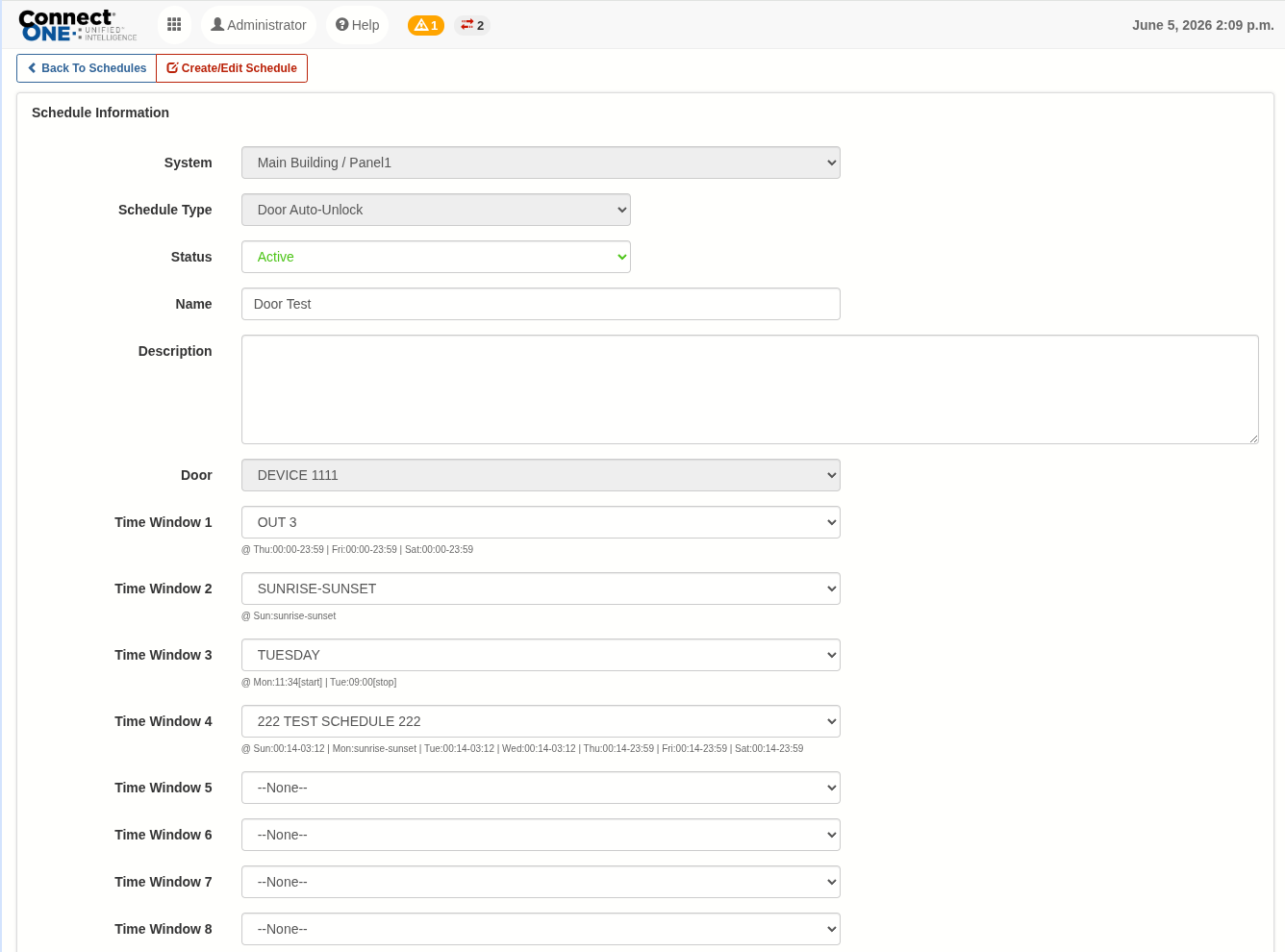
New safeguards provide proactive warnings when deleting, deactivating, or removing all time windows from an area schedule. These alerts help prevent configuration errors that could lead to unintended automatic arming and disruptions to normal facility operations.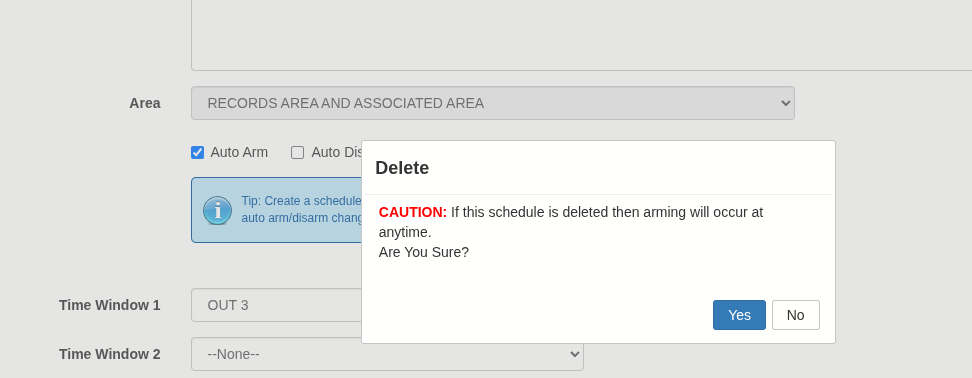
Why This Matters
For customers with multiple sites or frequent user changes, these updates reduce time spent on programming and troubleshooting. This means fewer support calls, faster updates, and more consistent system performance across locations. Together, these improvements reduce administrative overhead, minimize risk, and provide greater confidence when managing access.